MyHuntington1.1.0
Publisher Description
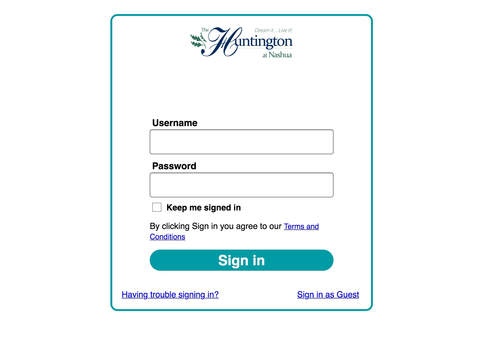
My Huntington App makes it easy for you to keep in touch with the programs and services at The Huntington at Nashua.
You can access activity schedules, dining menus and more using a power set of features designed specifically for The Huntington at Nashua residents.
Some features included:
Daily Calendar Community event schedule with event description and location
Dining Menus posted from on-site dining venues
Huntington Info - Community services and descriptions
Resident Directory Directory with resident contact info, profile and photo
Staff Directory Directory with staff contact info
Fitness Community Fitness programs and information
News & Views In-house Newsletter
Weather Stay informed with local weather
Channel 918 Slideshow of The Huntington at Nashua events and announcements
Photos Gallery of The Huntington at Nashua photos
Settings Accessibility settings for visual impairments, system information, and more
MyHuntington App powered by Touchtown Resident Apps. Touchtown s complete Lifestyle Suite helps communities manage all resident-facing communication with a unified, comprehensive software solution.
Requires iOS 6.0 or later. Compatible with iPad.
About MyHuntington
The company that develops MyHuntington is Touchtown Inc.. The latest version released by its developer is 1.1.0.
To install MyHuntington on your iOS device, just click the green Continue To App button above to start the installation process. The app is listed on our website since 2015-08-25 and was downloaded 4 times. We have already checked if the download link is safe, however for your own protection we recommend that you scan the downloaded app with your antivirus. Your antivirus may detect the MyHuntington as malware if the download link is broken.
How to install MyHuntington on your iOS device:
- Click on the Continue To App button on our website. This will redirect you to the App Store.
- Once the MyHuntington is shown in the iTunes listing of your iOS device, you can start its download and installation. Tap on the GET button to the right of the app to start downloading it.
- If you are not logged-in the iOS appstore app, you'll be prompted for your your Apple ID and/or password.
- After MyHuntington is downloaded, you'll see an INSTALL button to the right. Tap on it to start the actual installation of the iOS app.
- Once installation is finished you can tap on the OPEN button to start it. Its icon will also be added to your device home screen.
